
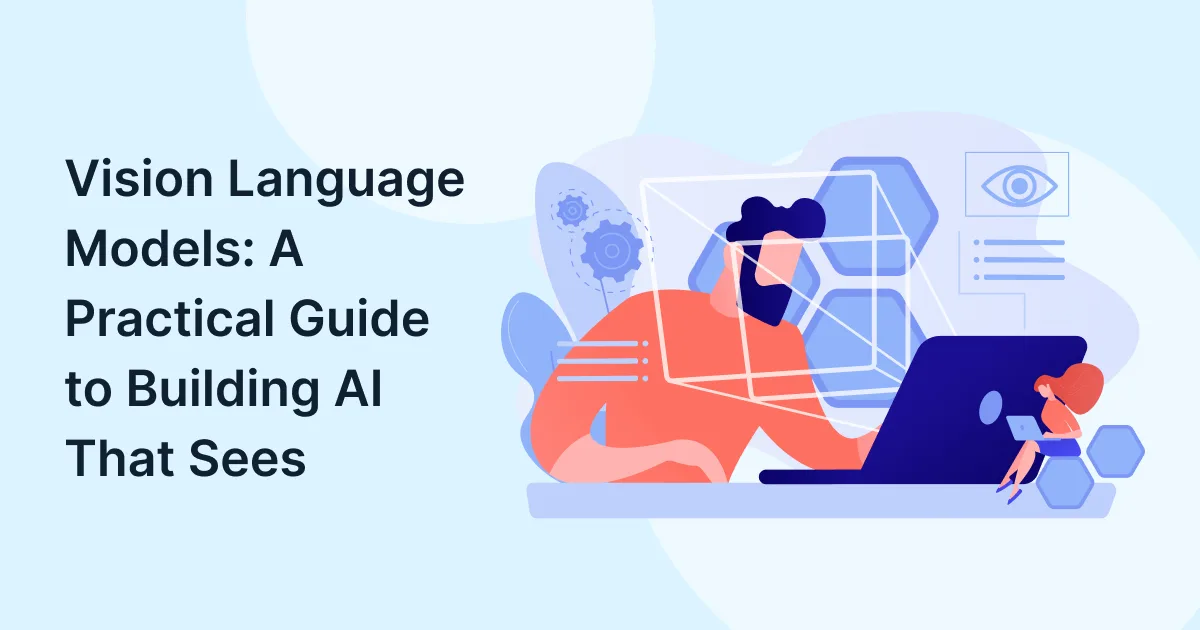
Consider an AI system that can examine a product image, interpret a technical diagram, or identify information in a scanned document. It can then explain what it sees in a natural language. Sounds interesting? This is exactly what vision language models (VLMs) aim for.
Unlike text-only AI, vision language models connect visual information with language. They help businesses make better use of images, documents, and other visual data.
For enterprises exploring artificial intelligence, VLMs offer opportunities across manufacturing, retail, life sciences, and supply chain operations. But how do they work, and what does it take to build an application around them?
This guide explains the fundamentals, practical use cases, and key implementation decisions behind vision-language AI.
What Are Vision Language Models?
Vision language models are AI systems that process visual inputs and connect them with natural language. Depending on the model, they can describe images, answer questions about visual content, interpret charts, and extract information from documents.
A VLM combines capabilities associated with computer vision and language processing. This allows users to ask questions about an image instead of relying only on predefined labels or manually reviewed visual data.
For example, a manufacturing team could submit a product image and ask the model to describe visible defects. A business analyst could upload a chart and request a summary of its key findings.
VLMs are part of the broader field of multimodal AI, which works with multiple forms of information, such as text, images, audio, and video.

How Do Vision Language Models Work?
Vision language models typically process visual and textual information through connected components. The exact architecture varies by model, but the workflow generally follows four stages.
- Visual input: The system receives an image, screenshot, or another supported visual input.
- Feature extraction: A vision encoder converts the image into representations the model can process.
- Vision-language alignment: Components connect visual features with language representations, helping the model relate what it sees to the user’s question.
- Response generation: The model uses the available visual context and prompts to produce an answer or other supported output.
Consider a warehouse employee uploading a photograph of a damaged package. The employee asks, “What damage is visible?” The VLM examines the image and describes the apparent damage in the text.
The output can then feed into a wider workflow, such as a damage-reporting application. However, the result still needs validation, particularly when it affects safety, compliance, or financial decisions.
Is VLM Better Than LLM?
Neither is universally better. The right choice depends on whether a task requires visual understanding.
A large language model (LLM) primarily designed for text can handle summarization, drafting, and language-based reasoning. A vision language model adds the ability to interpret visual inputs when its architecture supports them. Many VLMs also use language models as part of their underlying design.
| Capability | Text-only LLM | Vision language model |
| Process text | Yes | Yes, depending on model |
| Interpret images directly | Not inherently | Yes, if supported |
| Answer questions about charts or photographs | Requires visual-processing tools | Supported by suitable models |
| Generate natural-language explanations | Yes | Yes |
For example, an LLM can summarize a written inspection report. A VLM can examine a supported inspection image and describe visible findings. An application may combine both approaches to process images, validate extracted information, and generate a final report.
Which Are the Vision Language Models?
Which vision language models should businesses evaluate?
Several models and model families support different vision-language tasks:
- CLIP: Connects image and text representations, making it useful for image-text matching and retrieval.
- LLaVA: Supports conversational image understanding and visual question answering.
- Qwen2.5-VL: Supports visual understanding tasks, including document and video-related capabilities that vary by version.
- Gemini and GPT vision-capable models: Offer hosted multimodal capabilities for applications that work with supported images and other inputs.
These options are not interchangeable. Some are useful for matching images with descriptions, while others support more open-ended questions and visual reasoning.
Before selecting a model, compare its current capabilities, deployment options, data-handling terms, latency, cost, and performance on representative business examples.

What Are the Most Practical VLM Use Cases?
How can businesses use vision language models?
VLM use cases become more valuable when they address a specific operational problem rather than simply demonstrate what AI can do.
1. Manufacturing and quality inspection
VLMs can describe visible product defects, compare images against inspection criteria, and help organize quality reports. They can support inspection teams, although defect detection must be validated against suitable quality standards.
2. Document processing
Businesses can use vision-language AI to interpret scanned forms, charts, tables, and technical diagrams. This can support document classification and information extraction, with human review for ambiguous or critical fields.
3. Retail and e-commerce
VLMs can support visual product search, image tagging, catalog enrichment, and product-description workflows. Retail teams can use these capabilities to make large product catalogs easier to search and maintain.
4. Supply chain and logistics
Warehouse and logistics teams can examine package images, identify visible damage, and assist with label interpretation. Integrated applications can route potential discrepancies for review.
For sectors such as life sciences, VLMs may also support document and image review workflows. Regulated or clinical applications require additional validation, oversight, and controls appropriate to the intended use.
How Do You Build a Vision-Language AI Application?
How do I build a VLM application for my business?
Building a practical application involves more than choosing a model. The solution must address a defined business problem and fit into existing systems.
1. Define the visual problem
Start with a specific task. Decide whether the application needs to inspect products, extract information from documents, or answer questions about images. Define the expected output and acceptable error rate.
2. Select the right VLM
Compare suitable vision language models using representative images and real business scenarios. Evaluate visual reasoning, OCR capabilities where required, response time, operating costs, and deployment options.
3. Prepare data and prompts
Collect representative examples and write clear prompts. Specify the information the model should identify, and the output format it should return. Remove unnecessary sensitive information before processing business data.
4. Integrate the model with enterprise systems
Connect the model to existing applications, databases, APIs, and review workflows. Enterprise software solutions can provide the surrounding infrastructure for using model outputs in business processes.
5. Test and improve the application
Compare model outputs against human-reviewed results. Test poor-quality images, unusual cases, and incorrect responses. Monitor performance after deployment and retain human oversight where errors could have serious consequences.
For organizations planning this journey, digital transformation services and software development services can help connect AI capabilities with business requirements, existing technology, and operational goals.
What Should You Consider Before Deploying a VLM?
What are the limitations of vision language models?
Vision language models can misinterpret images, overlook small details, or generate confident but incorrect answers. Image quality, lighting, resolution, and complex visual layouts can affect their performance.
Data privacy, infrastructure costs, response times, and integration requirements also influence deployment decisions.
The US National Institute of Standards and Technology (NIST), through its AI Risk Management Framework, provides guidance for managing AI risks throughout the design, development, evaluation, and use of AI systems.
Businesses should establish clear testing criteria, access controls, monitoring procedures, and human-review processes before deploying VLMs in important workflows.
Build Practical AI Capabilities with Katalyst
Vision language models give enterprises new ways to work with visual information. From manufacturing inspections to document processing, their value depends on how well the technology addresses a real business need.
Katalyst Software Services Limited helps enterprises build intelligent capabilities through Artificial Intelligence, Enterprise Application services, Digital & eCommerce, and Engineering & Manufacturing Solutions. By connecting technology with business priorities, Katalyst supports organizations working to move from data to informed decisions.